
For buxibans and independent tutors in Taiwan
Lesson videos for your academy, seen only by your students.
Share recorded lessons with the students in each class, see who is keeping up and where they get stuck, and keep parents in the loop, while students' and parents' personal details stay protected.
Why PapaGuǎn
What your academy gets
Lessons stay with your students
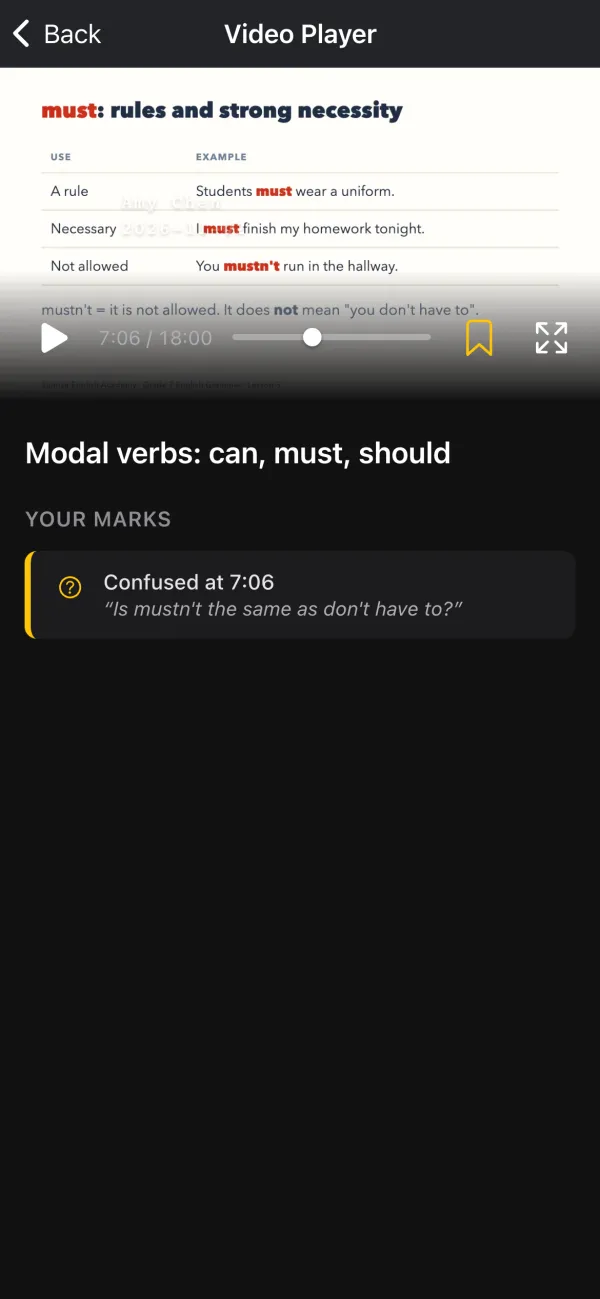
Every video is encrypted and plays only in PapaGuǎn, for students you have enrolled. Remove a student from a class and they can no longer play its videos. The student's name drifts across the picture while a lesson plays, so a screen recording shows who made it.
Know who is falling behind
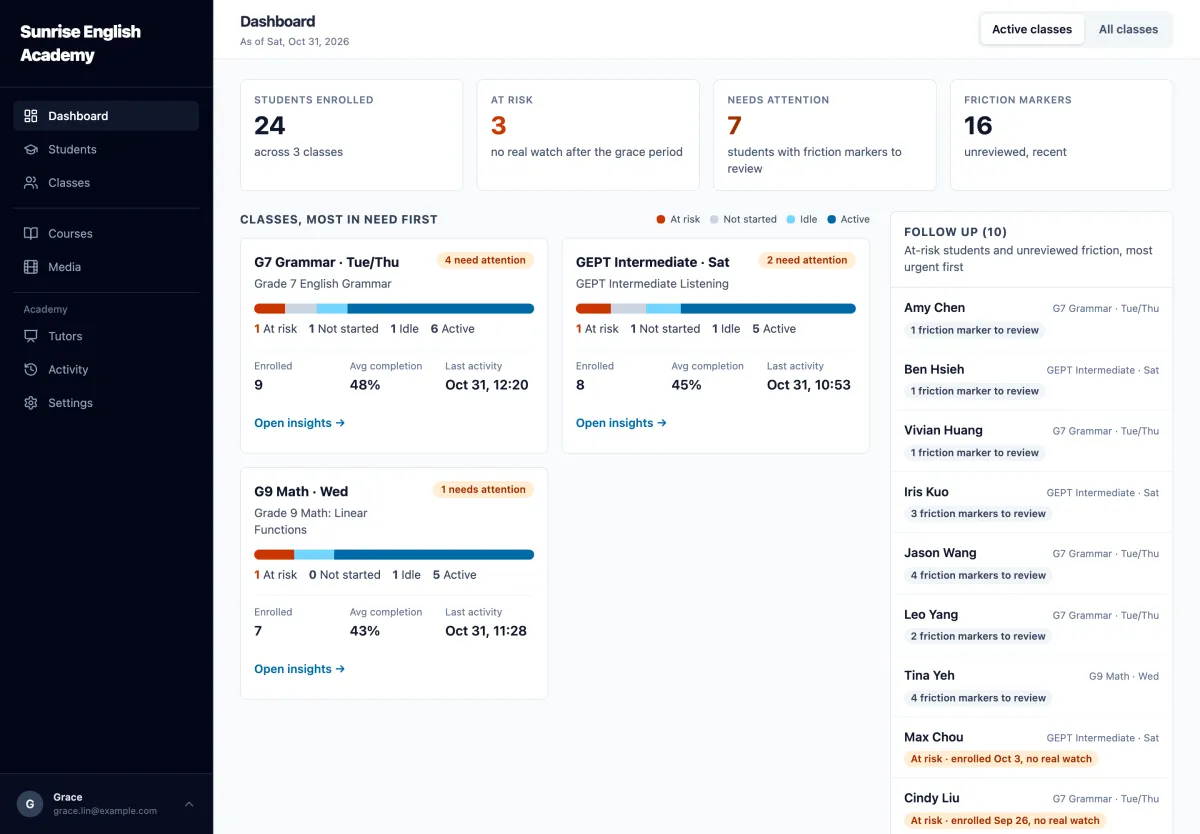
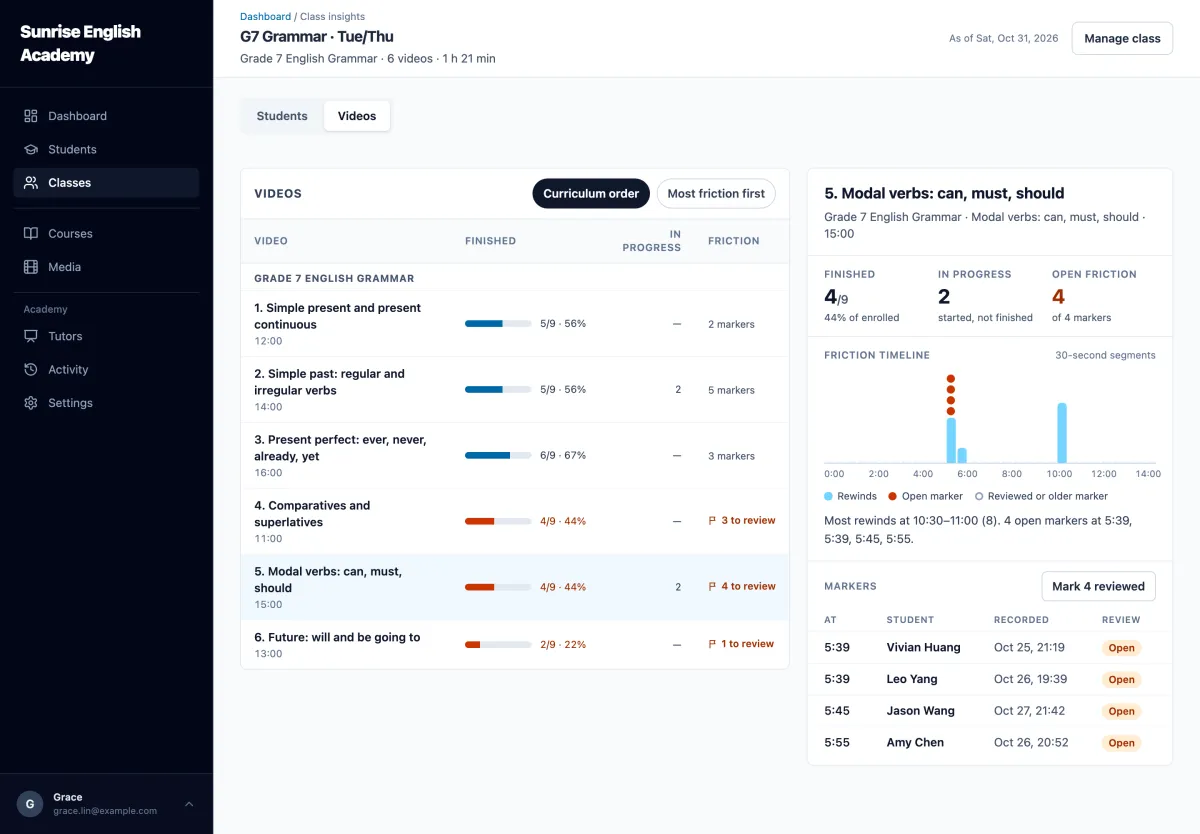
See each class's completion at a glance, the students who need a follow-up, and the exact minutes of a lesson where students struggle, so you know what to go over again in class.
Parents' details protected
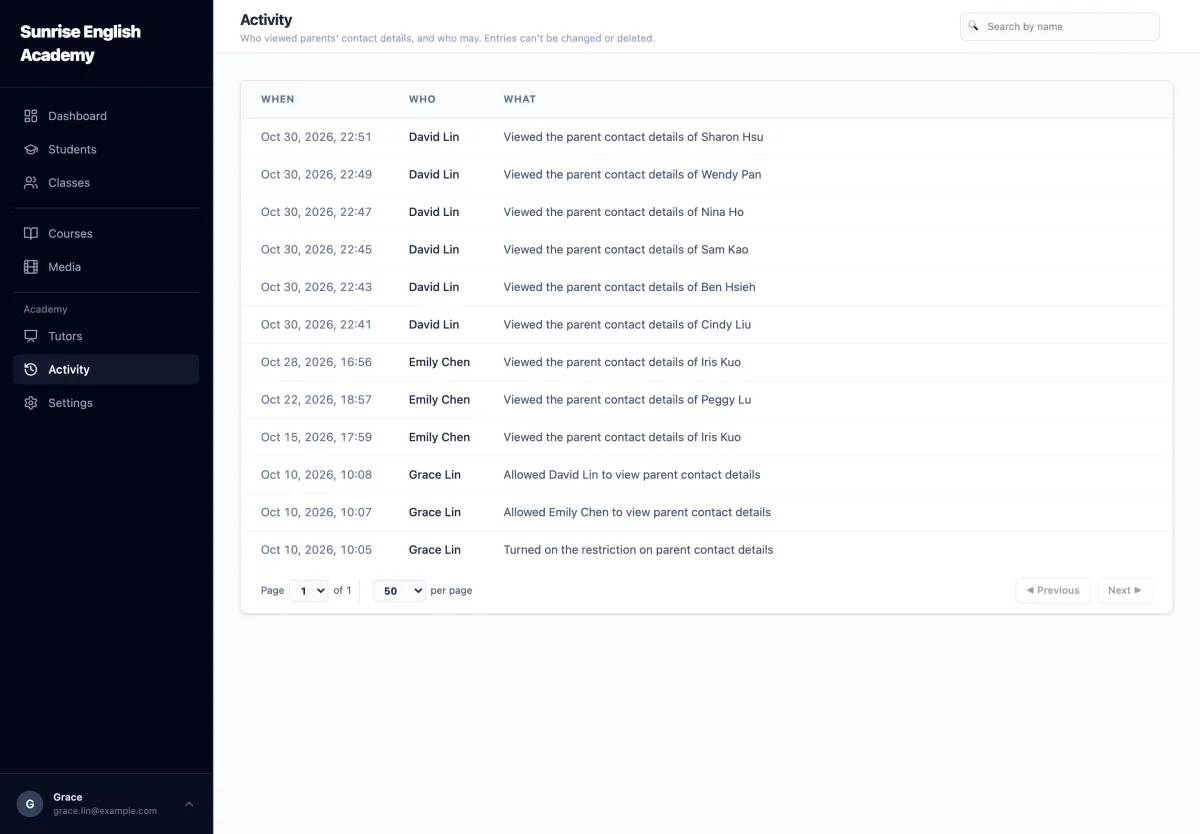
Consent is recorded when a student is added, and parents' phone numbers and emails are hidden from tutors unless the owner allows it.
Three steps
How it works
-
1
Upload a lesson
Drag the video into the tutor console. It's encrypted and kept private to your academy, not posted on a public video site.
-
2
Assign it to a class
Only students enrolled in that class can watch it, in the PapaGuǎn app.
-
3
See who is keeping up
The dashboard shows who hasn't watched yet, and the moments in each video where students rewind or mark something as unclear, so you can follow up.
Running the academy
For owners
Your lessons, your students' data and your teachers, in one place you control.
-
When a teacher leaves, their lessons stay with your academy, and their access ends the moment you remove them.
-
Choose which teachers can see parents' phone numbers and emails, and see who looked one up, and when.
-
In Traditional Chinese and English, chosen by each person: you can work in Chinese while your foreign teachers use English.
In class
For tutors
Spend class time where your students need it.
-
Record a lesson once and use it with every class, term after term.
-
See the exact minutes students rewind or mark as unclear, and go over them in the next class.
-
Know which students haven't watched yet, before the next class rather than during it.
After class
For parents and students
Learning at home, with the teacher still in the loop.
-
Students watch their lessons in the app, whenever suits them.
-
Students mark the parts they find unclear, and their teacher sees each one and can follow up.
-
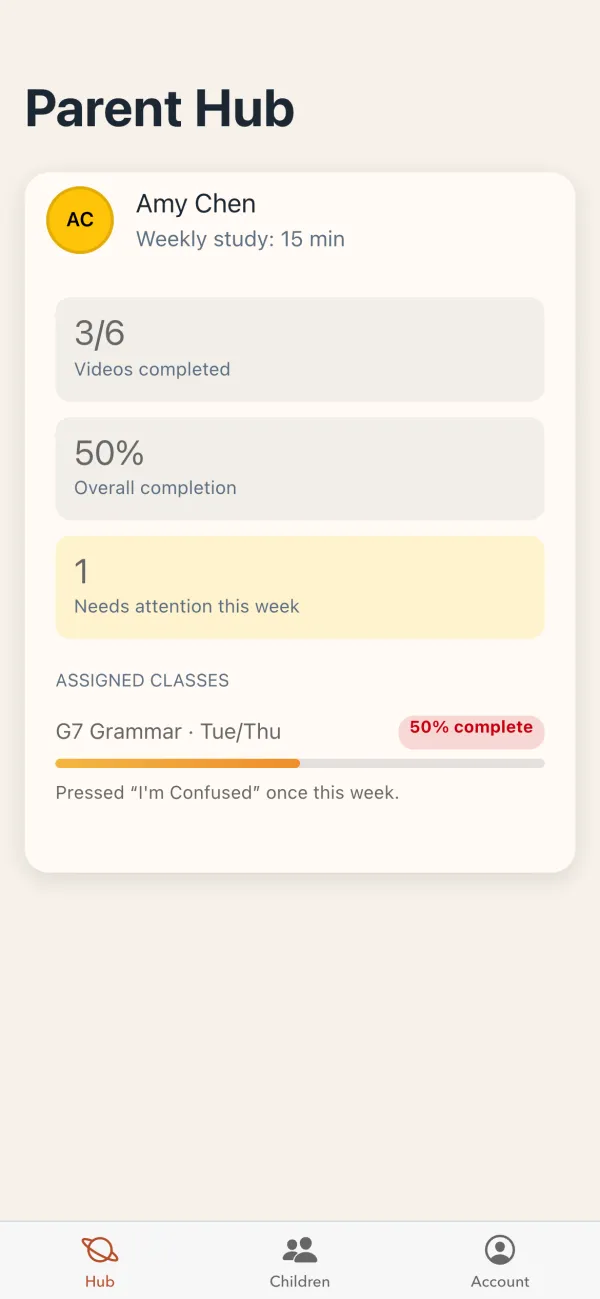
Parents see how much their child has watched.
Nothing to install: open PapaGuǎn in the browser on a phone, tablet or computer, and add it to the Home Screen to use it like an app. Your academy sends you the invitation.
See it with your own classes
We're starting with a small number of academies. Tell us a little about yours and we'll get back to you to arrange a demo.
Talk to us